
March 2026
We are pleased to introduce Mnova 17, a landmark release that combines cutting-edge technology with a fresh, modern design. This version delivers a major technical upgrade, including the transition to Qt 6, ensuring enhanced performance, security, and future-ready capabilities.
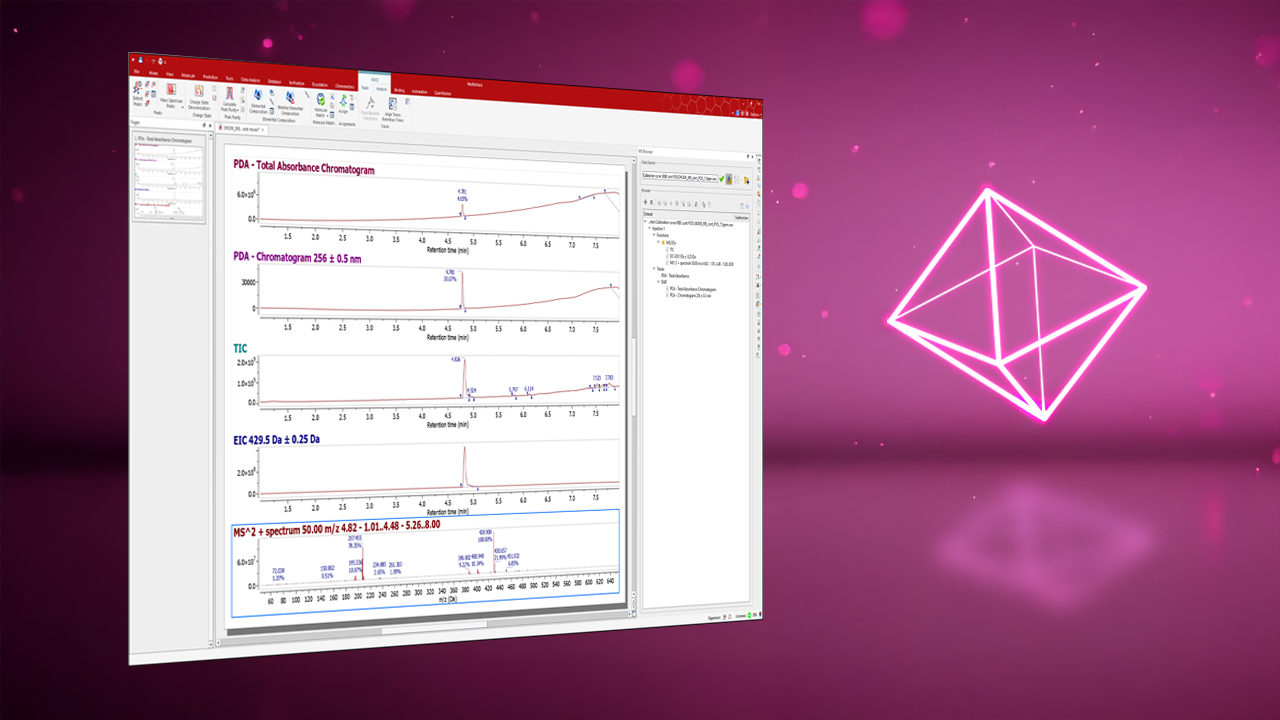
Beyond the technical leap, Mnova 17 introduces significant improvements across key plugins, such as Mnova NMR, NMRPredict, MSChrom, and Mnova DB, as well as new features for tools like the Mnova Python Interpreter, giving users more powerful capabilities for their analytical workflows. In addition, this release includes updated products such as Mnova Gears 2.8.0 and Chrom Cal 1.2.0, along with bug fixes in Fraction Analysis 1.1.0 and Chrom Reaction Optimization 2.0.1.
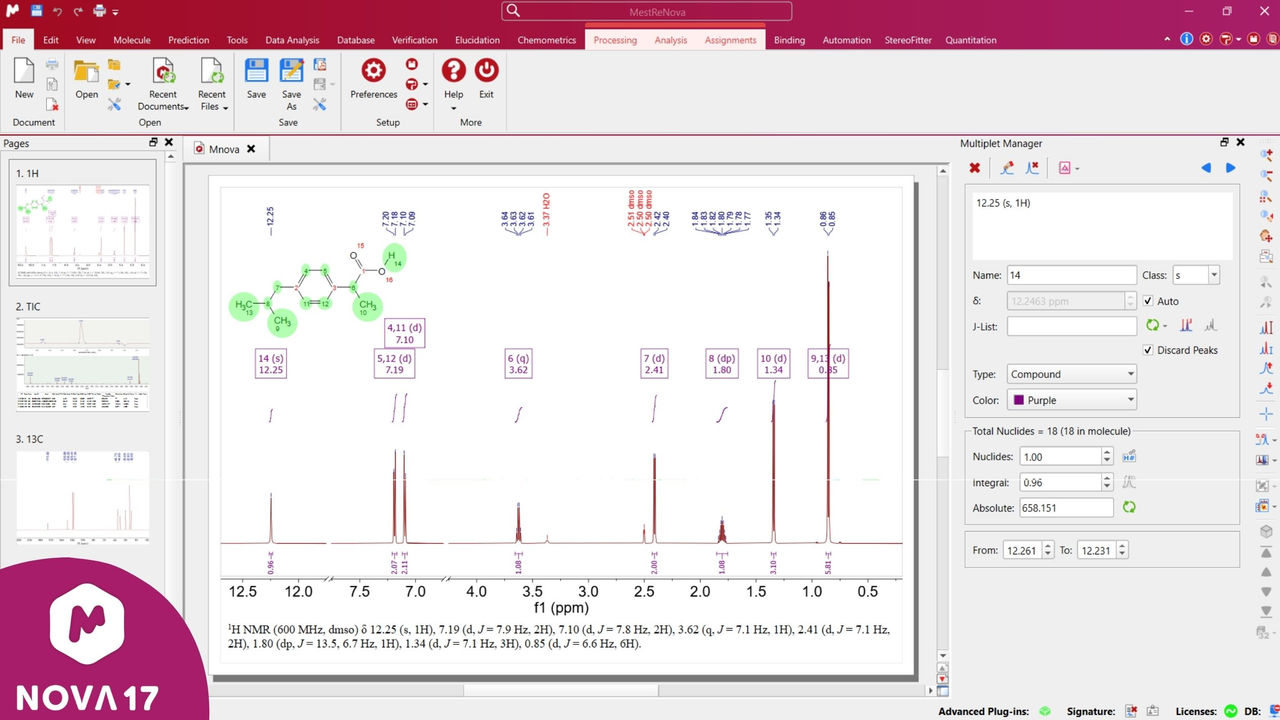
These improvements go beyond functionality: Mnova has undergone a major user interface redesign, driven by both technical and strategic factors. Our flagship product now proudly reflects Mestrelab’s affiliation with SciY, embracing a renewed identity. This transformation symbolizes our commitment to progress, innovation, and collaboration within our new SciY ecosystem.
Mnova
Revamped Mnova Interface
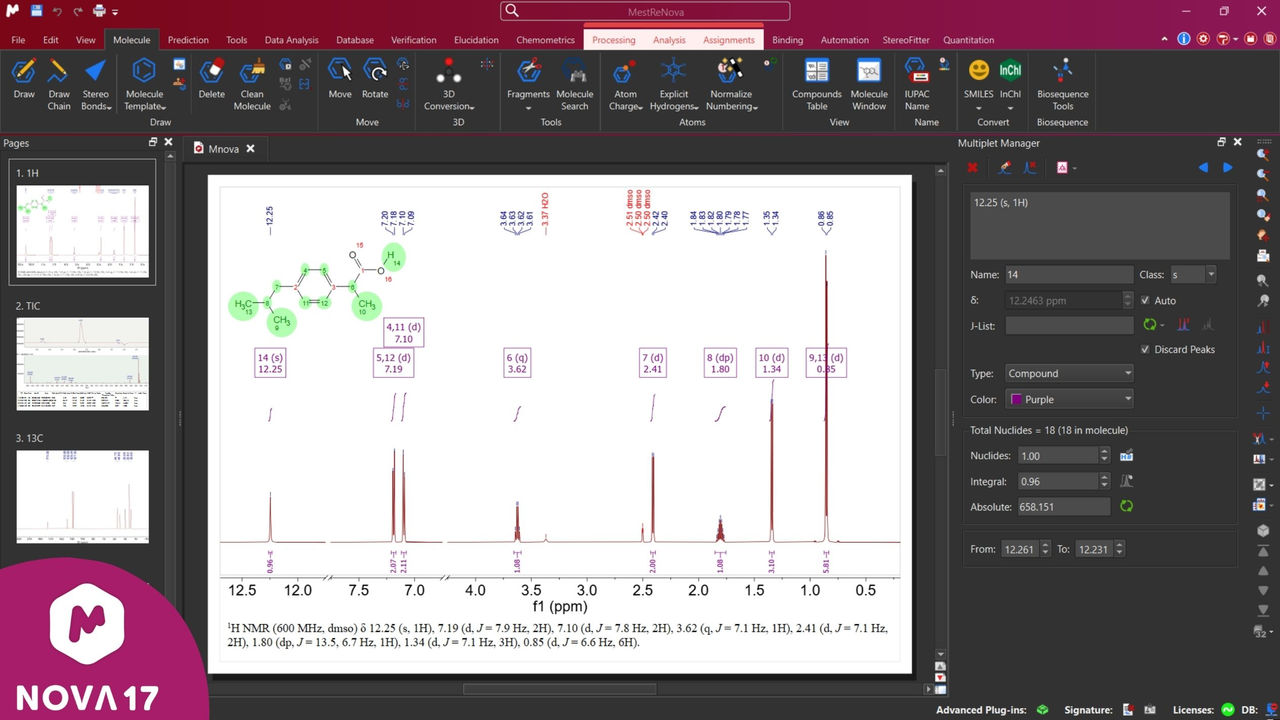
The redesigned user interface introduces improvements at multiple levels:
- Icons and widget sizes have been optimized with higher resolution, delivering a sharper and more modern visual appearance.
- The top section of the interface has been transformed: the header color now shifts from red to vibrant magenta, and the Command Palette is permanently accessible at the center for faster navigation.
- Dark mode has been enhanced, offering improved resolution and more comfortable visual experience.
- The File tab in the ribbon (top left) has been updated to align with the rest of the interface, ensuring a more consistent design across all tabs.
And of course, this new interface experience is consistent across all three operating systems - Windows, Linux, and macOS - so every user enjoys the same modern look and feel, regardless of platform.
Extended Python Experience
Modern scientific innovation increasingly relies on Python’s rich ecosystem of packages for data science, automation, validation, and integration. The ability to install and leverage Python packages directly within a scientific analytical platform enables organizations to extend core functionality, automate complex workflows, and seamlessly connect analytical results with external systems such as ELNs, LIMS, data lakes, and AI/ML pipelines.
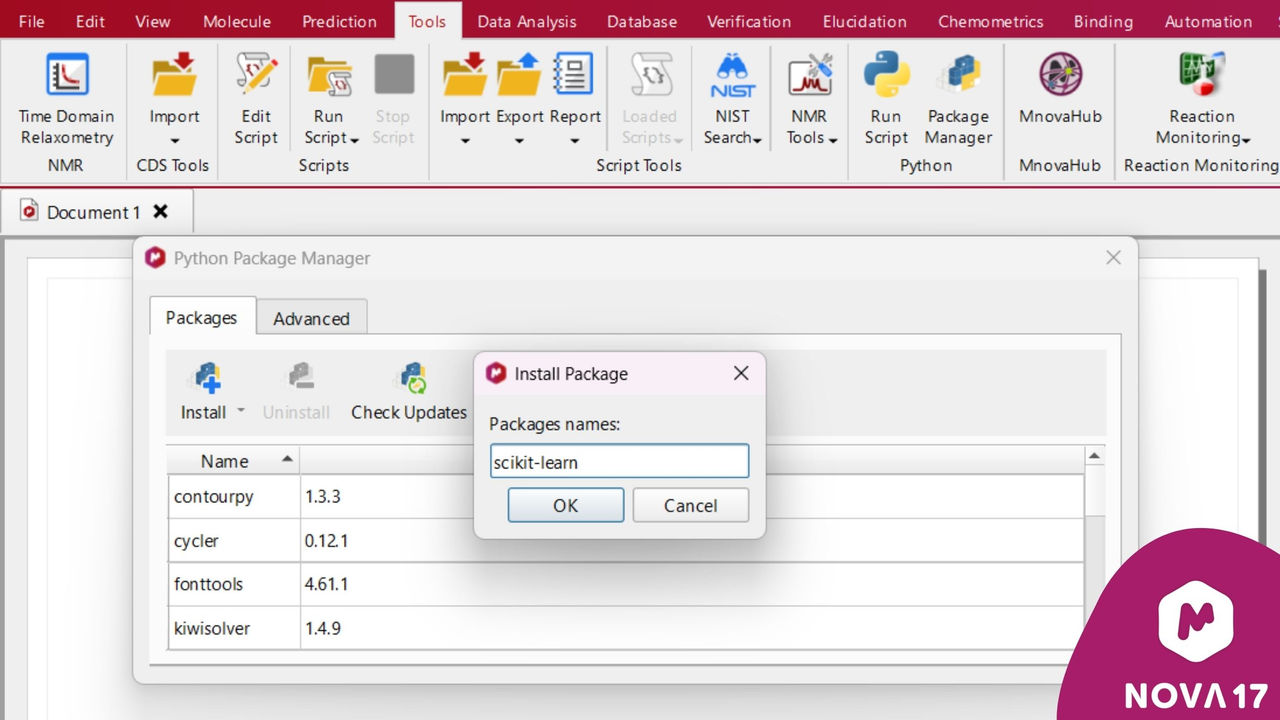
To simplify the installation, updating, and removal of Python packages, Mnova 17 introduces a built-in Python Package Manager, accessible from the Tools tab in the ribbon:
Import/Export of JSON-Format Documents
Mnova already supports NMR, LC/GC-MS data, and chemical structures in JSON format. With Mnova 17, users can now also export and import complete documents in JSON format (.mnjs), including pages, items, and raw scientific data.
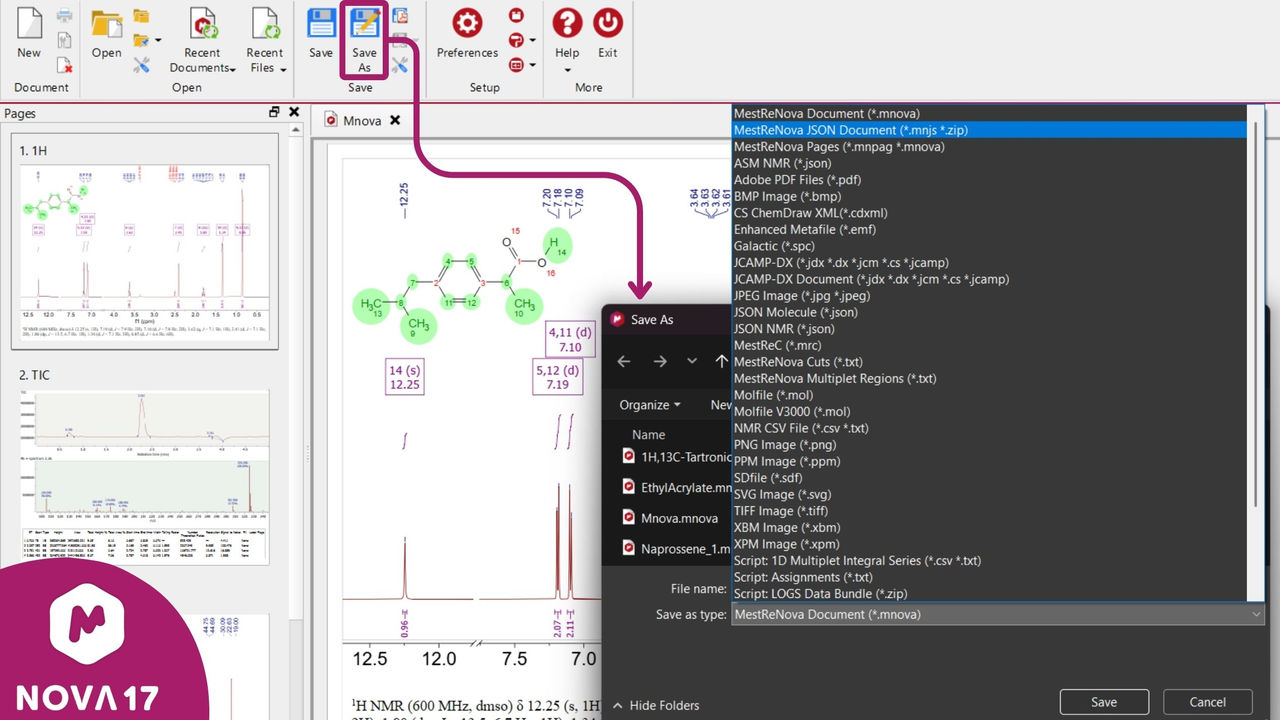
The new .mnjs format encapsulates:
- Document‑level metadata (versioning, layout, page structure).
- Page definitions with layout, annotations, and item references.
- Item‑level content stored in modular JSON files separating raw data, canvas configuration, and plotting properties.
This architecture provides a clear, extensible, and machine‑readable representation of Mnova content. The result is a developer‑friendly document format that enables deeper integration with external tools, reproducible workflows, and advanced data management, while remaining fully transparent and accessible to power users and platform integrators.
Mnova NMRPredict
New GCNN-Based NMR Predictor
Mnova 17 introduces a state-of-the-art AI predictor based on Graph Convolutional Neural Networks (GCNNs)1 to make NMR spectral prediction faster, more accurate, and more reliable. Trained on tens of thousands of carefully annotated experimental spectra, the models learn how local molecular structure and chemical environment influence NMR chemical shifts. This results in a probabilistic, data-driven approach that delivers highly accurate proton and carbon shift predictions.
These predictions support high-quality spectral simulation and automated spectral assignment, helping to reduce ambiguity in structure elucidation, save expert time, and increase confidence in structural decisions across routine and complex analytical workflows.

Note: The GCNN predictor is included in the Mnova NMRPredict plugin, but it requires a license to be enabled.
To request a license, please contact us.
1J. Magn. Reson. 2024, 368, 107795. https://doi.org/10.1016/j.jmr.2024.107795
Mnova NMR
Dynamics Tool Enhancements
The data analysis workflows for multi‑spectra time series, T1, T2, T1ρ, and diffusion experiments have been upgraded to deliver clearer visualizations, improved usability, and enhanced functionality. Analysis results are now presented in a dedicated workspace, making it easier to interact with fits, inspect details, and explore the underlying behavior of the data.
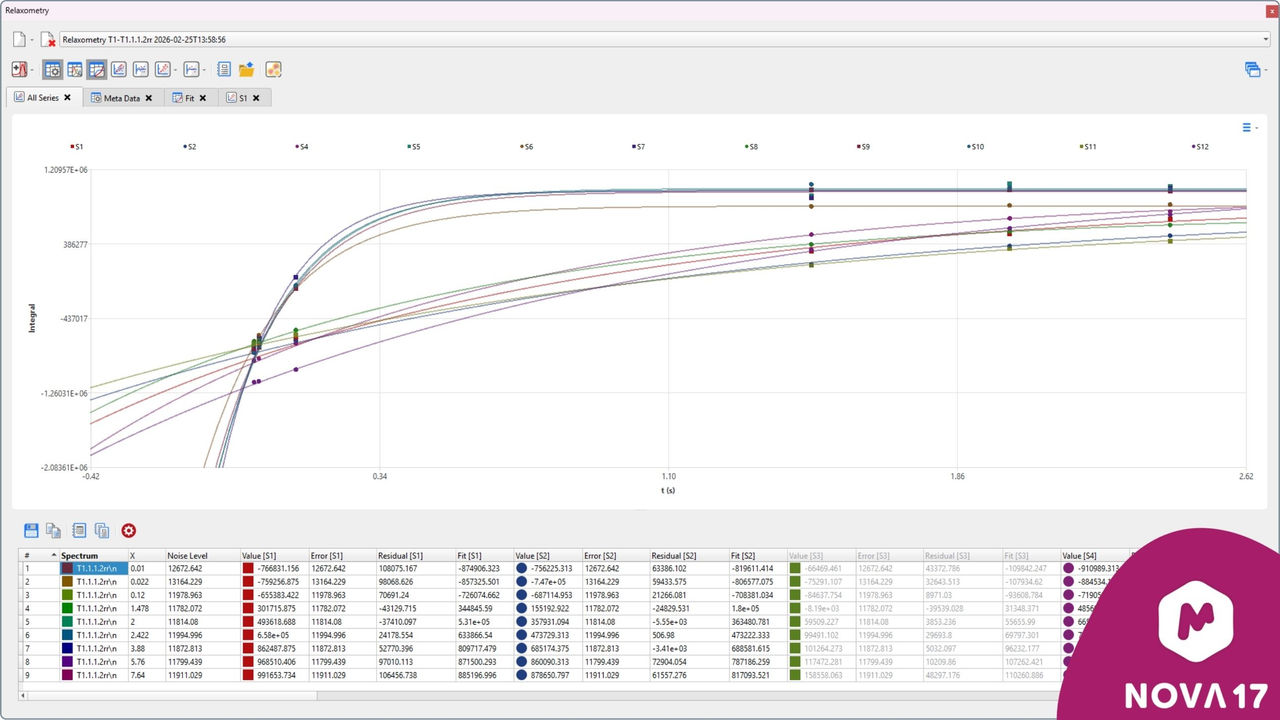
This revised version also introduces the following improvements:
- The ability to choose the number of components in a fitting model.

- Greater interactivity with graphs and tables, including:
- Plotting individual residuals for specific series.
- Disabling corrupted on noisy spectra from a fit. - The ability to create more comprehensive reports.
Mnova MSChrom
UniDec Algorithm for Improved Deconvolution of Charged, High-Molecular-Weight Compounds
The UniDec (Universal Deconvolution) algorithm, developed by Michael Marty and colleagues,2 was designed to transform complex mass spectrometry (MS) data into easily interpretable zero-charge mass distributions. By leveraging a powerful Bayesian deconvolution approach, UniDec enables accurate charge-state assignment and spectrum reconstruction, even in challenging cases involving overlapping charge states or unresolved isotopes.
With Mnova 17, users can now choose between our trusted ZScore algorithm and the industry-recognized UniDec algorithm in the Charge State Deconvolution Settings window. Both options provide full control over m/z, charge state, and deconvoluted mass ranges. This enhancement brings users a cutting-edge, widely adopted solution for analyzing biomolecules above 15 kDa with speed, precision, and confidence.

2Anal. Chem. 2015, 87, 8, 4370–4376. https://doi.org/10.1021/acs.analchem.5b00140
Charge-State Spectral Visualization
Mnova 17 also introduces a new feature for improved visualization of charge states in deconvoluted spectra. When a peak is selected in the Mass Peaks table, the corresponding charge-state positions - based on the deconvolution settings - are highlighted in the default m/z spectrum.

Compatibility with Shimadzu LC/GC-MS Data
Mnova 17 fully supports Shimadzu data on Windows. In addition, the software now retrieves information on the fractions, obtained from purification workflows on Shimadzu equipment, such as the start and end times of the collected fraction, as well as tube numbers and location.
Check the MSChrom (LC/GC-MS) supported file formats for more details.
Mnova DB and DB Server
New Features and Improvements
Mnova 17 introduces several exciting new features for Mnova DB and Mnova DB Server:
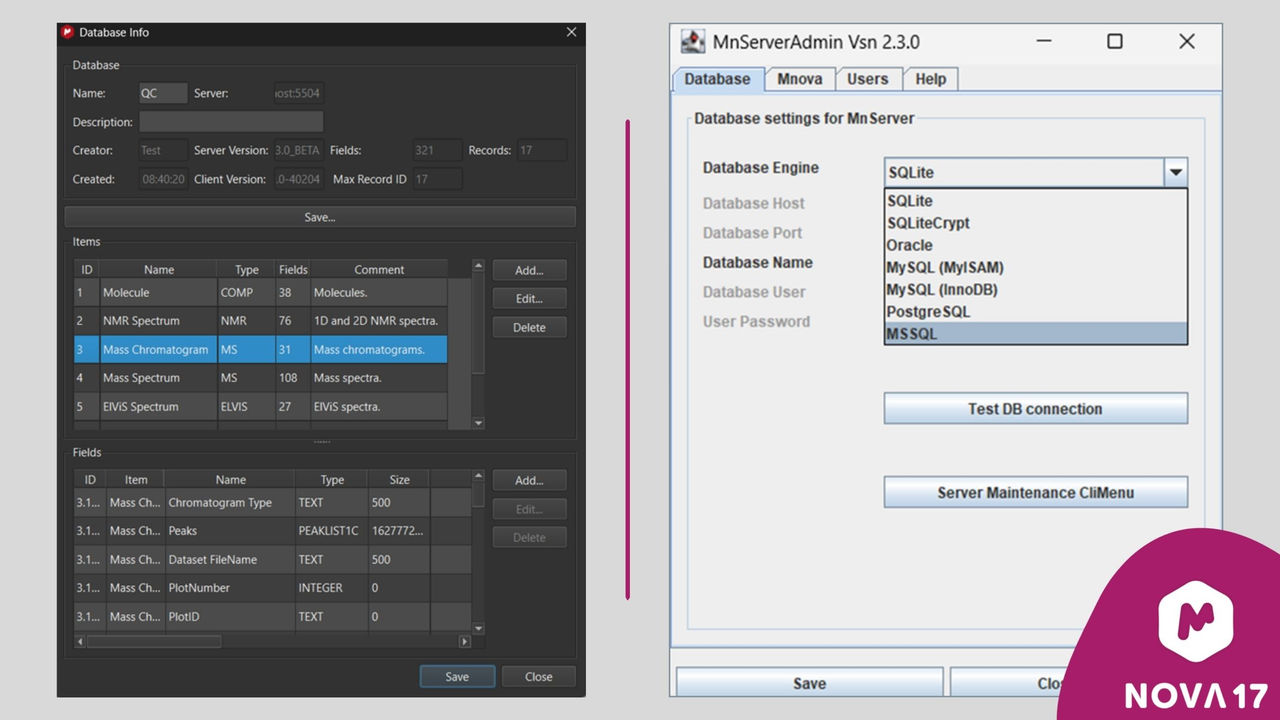
- Users can now edit existing databases by adding, modifying, or deleting items and fields, providing greater flexibility and control.
- Support for Microsoft SQL Server has been added, enabling Mnova DB Server to run seamlessly on this widely used backend.
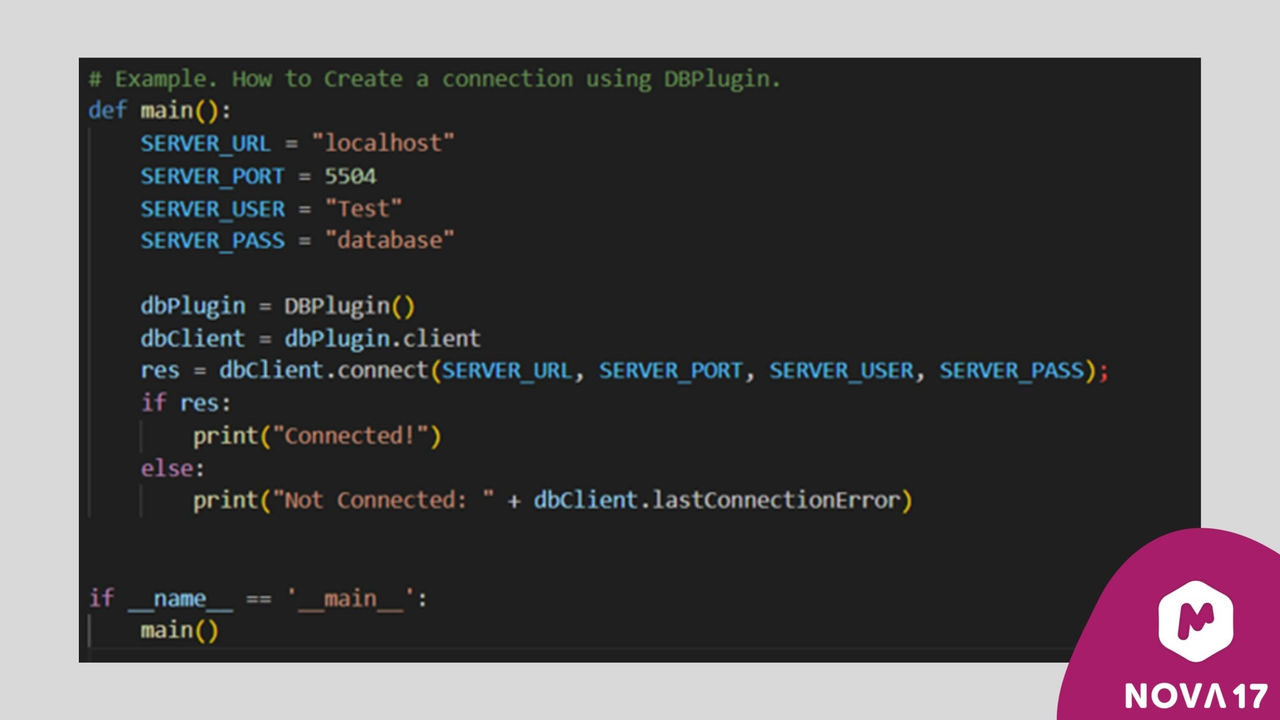
- It is now possible to run Python scripts that interact directly with the DB plugin. This allows users to create custom Python programs to save, update, or delete database elements, as well as perform spectral and molecular searches - effectively extending all operations already available in Mnova DB.
In addition, Mnova 17 delivers significant performance improvements behind the scenes, making Mnova DB faster and more efficient than ever.
Mnova Gears
Mnova Gears 2.8.0 delivers a smoother, more intuitive, and more powerful analysis experience. With enhanced visualization, smarter data handling, and new productivity features. This version enables users to work faster and with greater confidence.
Chrom Cal
With Chrom Cal 1.2.0 users can now select a specific injection and function for their quantification chromatograms, enabling more precise and focused analyses. In addition, Chrom Cal has been enhanced to deliver faster performance and greater overall processing reliability.
Chrom RO, Fraction Analysis
Refinements and performance optimization that ensure a smoother and more reliable experience with Chrom RO 2.0.1 and Fraction analysis 1.0.1.
For a complete overview of updates, see the full changelog where you'll find detailed information for each Mnova plugin and brick.